
PhysEdPrep App Review for PE Teachers
Written for PE specialists, classroom teachers, student teachers and departments that are weighing a planning app before the next unit…
PhysEdPrep pricing runs through in-app subscriptions on iPhone, iPad, and Android, starting with 3 free units that require no account and a 7-day free trial on yearly and 12-month plans. Individual tiers cover PE teachers, classroom teachers, student teachers, and first-year coaches across all grades K–12, while schools request a custom quote by email. See current prices directly inside the app.
Individual teachers buy through the App Store or Google Play, while principals and department chairs often need one school invoice and a purchase order. This guide matches each role to a plan, explains what you can try before paying, and lists the billing details that are easy to misread.
Current PhysEdPrep pricing appears directly inside the iOS and Android app, where individual memberships are sold as in-app subscriptions. Every membership covers all grades K–12 in one account: 40+ unit plans, 240+ lessons, 13 brain breaks, 8 game collections, 6 gym tools, and the weekly and yearly planner. For lesson details, see our in-depth review of the K–12 PE app.
| Plan | Who It Fits | Billing Cycles | Free Trial | How to Buy |
|---|---|---|---|---|
| PE Teacher / Classroom Teacher | K–5 specialists, Grades 6–12 PE teachers, classroom teachers | Yearly, 12-month (billed monthly), or monthly | 7-day free trial on yearly and 12-month plans (none on monthly) | In-app purchase (see current prices in the app) |
| Student Teacher & First-Year Coach | Student teachers, PE majors, first-year teachers | Yearly, 12-month (billed monthly), or monthly | 7-day free trial on yearly and 12-month plans (none on monthly) | In-app purchase (see current prices in the app) |
| School & District License | PE departments, principals, districts, substitutes | One school invoice via custom quote | 3 free units without an account before quoting | Custom quote by email (PO accepted) |

You can open 3 free units inside the app with no account needed, and you get a 7-day free trial when you pick a yearly or 12-month plan. Monthly plans (billed monthly, cancel anytime) do not include a trial.
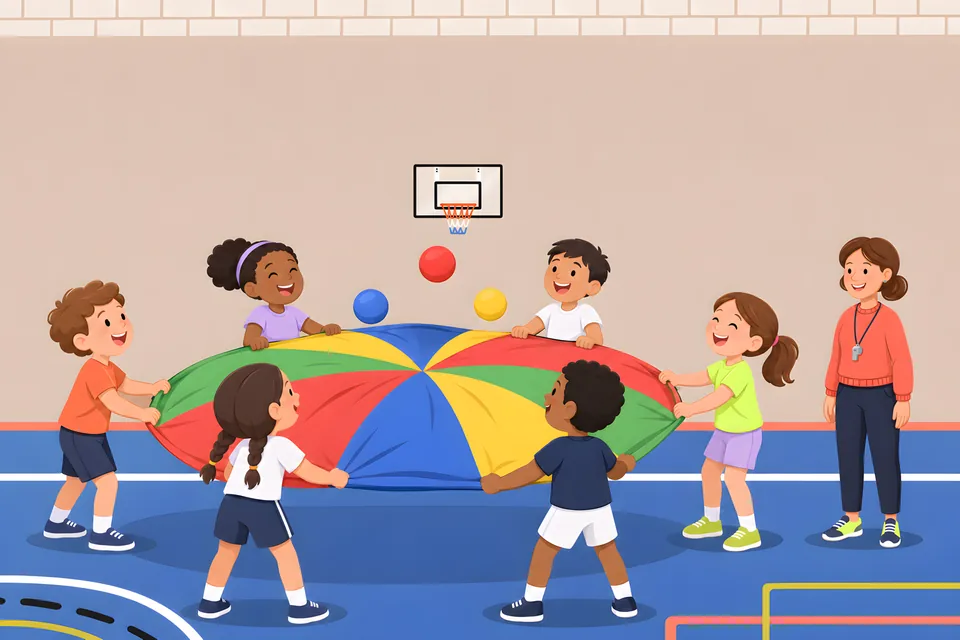
The 3 free units are real units from the app: Basketball: Shooting, Passing & Dribbling (Grades 5–7, 6 lessons), Parachute Games (from grade 1, 4 lessons), and Classroom Brain Breaks (13 movement breaks across concentration, coordination, relaxation, communication, and memory). Pair those sample lessons with our checklist on what to check in free PE lesson plans and run a three-step gym test:
An individual plan fits a solo teacher paying through a personal Apple or Google Play account, while a School & District License covers a whole PE department on one school invoice. Educators teaching elementary PE for Grades K–5 or middle and high school PE choose PE Teacher / Classroom Teacher. On the elementary pages, every game and station is explained step by step for classroom teachers without a PE degree. Student Teacher & First-Year Coach is made for student teachers, PE majors, and first-year teachers.
Schools with multiple PE teachers, substitutes, and classroom teachers leading gym periods request a School & District License custom quote by emailing support@physedprep.com. Purchase orders (PO) are accepted, and tax forms are available on request. The seller is LessonPrep UG in Unna, Germany. For the usual steps from quote to PO number, see how Title IV funds and school purchase orders work for PE apps.
For a department or district review, two editions of the national standards matter. SHAPE America's 2024 National Physical Education Standards have four standards (S1–S4). They were released in March 2024 and replace the 2013 edition. The app's units are mapped to the SHAPE America National Standards (2013 edition, S1–S5) with compact outcome tags.
Yes, the app runs on iPhone, iPad, and Android phones and tablets, and it is a mobile app only. Unit plans, class lists, setup diagrams, and the gym tools are in one app, ready on your phone or tablet in the gym.
Start at the official iOS and Android download page, which links to both stores. The download is free, and memberships are bought inside the app.
In the gym, propping an iPad or Android tablet on a stable cart away from ball paths works for the Scoreboard & Game Counter (points and game time for two teams, big enough to read across the gym) and the Structured Interval Timer with its progress ring during stations. More setup tips are in interval timers for PE fitness stations. Outside, the Countdown Timer has quick picks for 1, 3, 5, 10, or 15 minutes, or your own time, with a whistle at the end.
Every individual plan runs as a recurring subscription: yearly, 12-month billed monthly, or monthly. Four details are easy to misread, for example when you compare alternatives to PE Central and OPEN PhysEd or are evaluating a PE lesson plans app:
| Common Mix-Up | Why It Happens | What Applies Today |
|---|---|---|
| Expecting a free trial on the monthly plan | Yearly and 12-month plans start with a 7-day free trial | Monthly plans (billed monthly, cancel anytime) have no trial |
| Expecting the 12-month plan to charge once a year | Both yearly and 12-month plans include a 7-day free trial | Only the yearly plan bills annually; the 12-month plan is billed monthly |
| Assuming website prices match the store checkout | Memberships are sold in the app, and the website pricing page is for information only | Check current prices in the app before you confirm your subscription |
| Expecting the same depth at every grade up to 12 | Every plan includes all grades K–12 in one account | The Middle & High page lists 35+ unit plans up to grade 6 and 5 for grades 7–10, so check the unit list for the grades you teach before you subscribe |
Getting started takes five steps on your iPhone, iPad, or Android device, beginning with free sample units before you select a billing plan. To see how step-by-step elementary lessons run in practice first, check ready-to-teach elementary PE lessons.
Yes, the app runs on iPhone, iPad, and Android, so you can install it on your phone and on your gym tablet and log in with your member account. Class lists, private student notes, favorite lessons, and the weekly and yearly planner are part of the app. You switch between Elementary (Grades K–5) and Middle & High School (Grades 6–12) right inside it.
Email support@physedprep.com with your school or district name, the number of PE and classroom teachers needing access, and any purchase order or vendor tax form requirements. One custom school invoice covers your whole PE department, substitutes included, and classroom teachers who teach PE can join.
Cancel before day 7 ends in your Apple App Store or Google Play subscription settings if you subscribed inside the app, and you will not be charged. Monthly plans billed month-to-month have no 7-day trial, and you can cancel future renewals in the same settings.
No, you do not pay extra when your teaching assignment changes because every plan includes all grades K–12 in one subscription. You switch between Elementary (Grades K–5) and Middle & High School (Grades 6–12) right inside the app, covering 35+ unit plans up to grade 6 and 5 unit plans for grades 7–10.
Written for PE specialists, classroom teachers, student teachers and departments that are weighing a planning app before the next unit…
Elementary specialists, secondary coaches, classroom teachers covering PE, and department chairs face different constraints when…
This guide is for elementary classroom teachers, PE specialists covering an extra class and student teachers who get a gym schedule with a…
Download the free iOS or Android app at physedprep.com/get-the-app/ to open 3 free units without an account and see current in-app subscription prices with a 7-day free trial on yearly and 12-month plans. For department-wide access on one school invoice with purchase orders accepted, email support@physedprep.com for a custom School & District License quote.
App for iPhone, iPad and Android.